JerkHub Safety and Security

sexy brunette cam performer

EXPERIENCE RAW, UNFILTERED LIVE ACTION NOW AT JERKHUB.COM – ANYTIME, ANYWHERE!

JerkHub Safety and Security

Questions about JerkHub safety are common, especially from new users who want to understand how their data and interactions are handled. If you’re wondering “Is JerkHub safe?”, this guide explains the platform’s general approach to privacy, account protection, and moderation. It also outlines practical steps users can take to protect themselves. The goal is to provide clear, factual information about JerkHub security.

Is JerkHub Safe to Use?

When people ask “Is JerkHub safe”, they are usually concerned about three things: data privacy, scams, and inappropriate behavior. Like most online platforms, JerkHub operates within a digital environment where both technical safeguards and user responsibility play a role.

JerkHub security measures are designed to reduce risks related to unauthorized access and misuse of accounts. This includes account protections, moderation tools, and systems intended to detect suspicious activity. At the same time, no online service can eliminate all risks. User awareness remains essential.

Concerns about whether JerkHub is legit or whether it could be a scam often stem from general caution around online platforms. Legitimacy usually depends on transparency, visible policies, and available reporting tools. Platforms that publish a privacy policy, provide account controls, and allow users to report abuse demonstrate a structured approach to user protection.

In practical terms, JerkHub safety combines platform safeguards with responsible user behavior. Understanding both sides helps users make informed decisions.

JerkHub Privacy and Data Protection
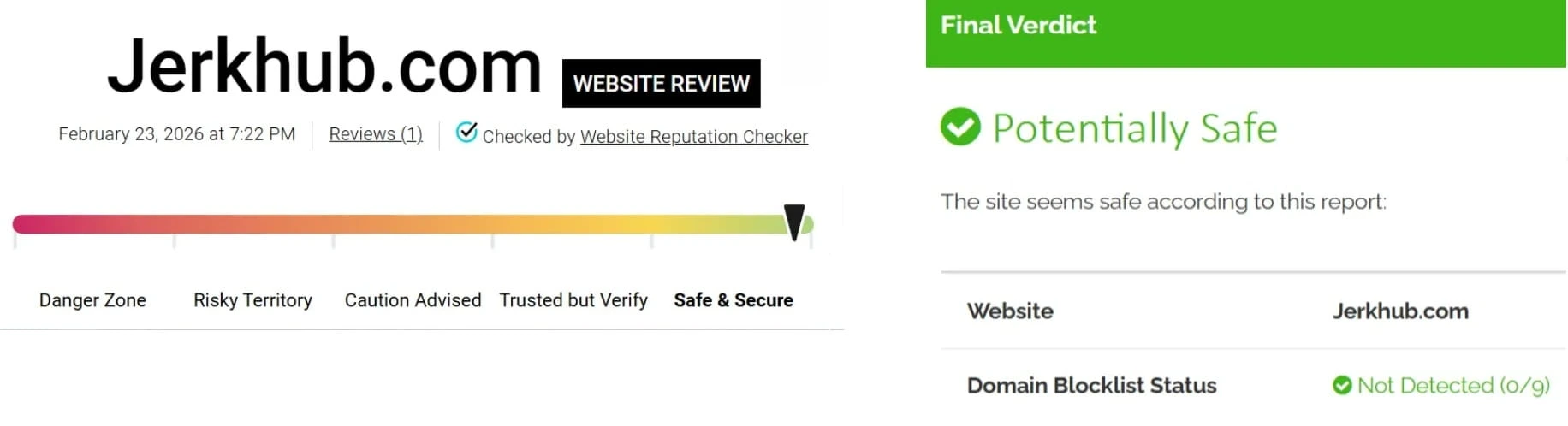
ranking rates

Privacy is central to user trust. JerkHub privacy practices are typically outlined in its official privacy policy, which explains how personal information is collected, stored, and used. While policies may change over time, users are encouraged to review the latest version directly on the platform.

How Personal Information Is Handled

Like most platforms, JerkHub collects basic account information such as email addresses, usernames, and usage data. This information may be used for account management, service improvements, and security monitoring.

JerkHub data protection practices are generally structured to limit unauthorized access to stored information. Access to personal data is usually restricted to authorized systems or personnel. Users should review the JerkHub privacy policy for detailed explanations of how their information is processed and retained.

It’s important to remember that users also control what they share publicly. Avoid including sensitive personal information in profiles, messages, or public content. Even on platforms with established privacy practices, personal discretion remains one of the strongest forms of protection.

Secure Connections and Encryption

JerkHub security includes the use of secure connections. When a website uses HTTPS, data transmitted between the user’s device and the platform is encrypted. This helps reduce the risk of interception by third parties.

Encryption does not eliminate every possible threat, but it remains a widely used safeguard across reputable online platforms. Users can confirm a secure connection by checking for “https” in the browser address bar.

Technical safeguards work best when combined with secure user behavior. Keeping devices updated and avoiding unsecured public networks can further strengthen protection.

Account Security on JerkHub

JerkHub account security depends on both system safeguards and individual choices. Creating and maintaining a secure account reduces the likelihood of unauthorized access.

Creating a Strong Password

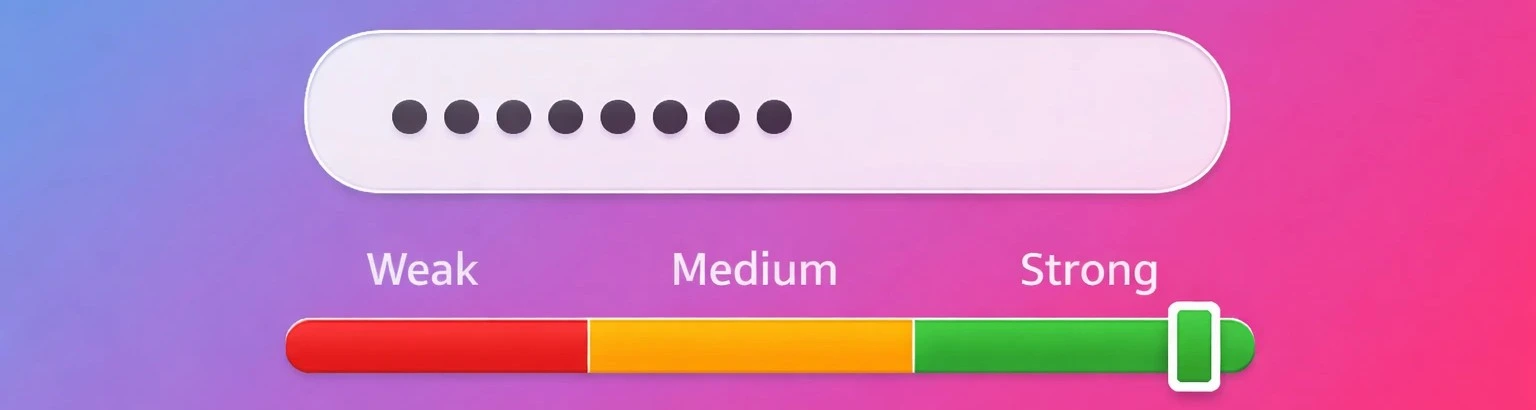
A strong password is one of the simplest ways to improve JerkHub security. Avoid using common words, predictable sequences, or personal details such as birthdates.

Consider these practices:

➢ Use a mix of uppercase and lowercase letters

➢ Include numbers and symbols

➢ Avoid reusing passwords from other sites

➢ Store passwords securely using a trusted password manager

Changing passwords periodically can add another layer of protection.
strong password

Protecting Your Login Credentials

Never share login credentials with anyone. Even if a message appears legitimate, avoid sending your password through email or chat.

If you suspect someone has accessed your account, update your password immediately and review recent activity. Monitoring login alerts, if available, can also help identify unusual behavior.

JerkHub account security tools may include account verification processes or activity monitoring systems designed to flag suspicious logins. Users are encouraged to enable any available security features.

Avoiding Phishing and Scams

Online scams often rely on impersonation. A message claiming to be from support may ask for sensitive information or direct you to an external site.

To reduce risk:

  • Avoid clicking unfamiliar links
  • Verify the sender before responding to requests
  • Access your account only through the official website
  • Report suspicious activity through official reporting tools

Remaining cautious is one of the most effective ways to protect your account.

Reporting Abuse and Suspicious Activity

Moderation plays an important role in JerkHub safety. JerkHub relies on a combination of automated systems and user reports to identify harmful behavior.

How to Block or Report a User

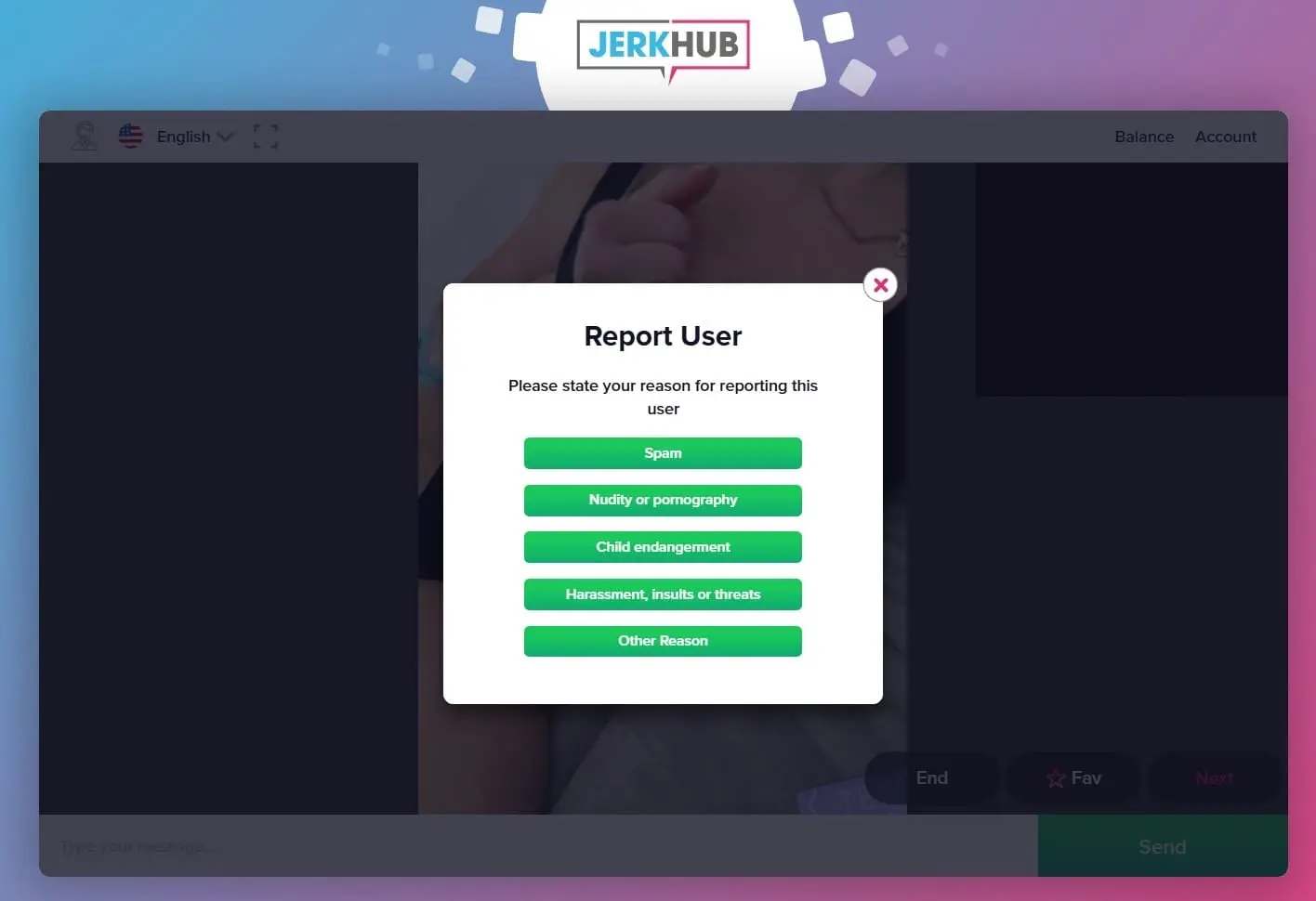
If you encounter inappropriate conduct, JerkHub provides options to block and report users. To report user on JerkHub, you can use the reporting tool directly from your interaction window.

To report a user on JerkHub:

  1. Locate the reporting icon near the user’s profile
  2. Select the reason for the report
  3. Provide relevant details if prompted

Blocking a user usually prevents further interaction. Reporting alerts the moderation team for review.
reporting abuse

What Happens After a Report

After a report is submitted, it is reviewed by a moderation team. Depending on the findings, actions may range from warnings to account restrictions or removal.

While JerkHub aims to respond appropriately, response times and outcomes can vary. Reporting contributes to overall user protection by helping moderators identify patterns of misconduct.

JerkHub security systems also monitor suspicious activity independently of user reports. Automated tools can assist in detecting spam, fake accounts, or repeated policy violations.

Tips for Staying Safe on JerkHub

JerkHub safety is strengthened when users follow basic online safety tips. Consider the following guidelines:

Avoid sharing personal information such as your address, phone number, or financial details

Be cautious with external links sent by other users

Use secure, updated devices when accessing your account

Log out when using shared or public computers

Monitor your account activity for unfamiliar changes

These practical steps reduce exposure to common online risks and support overall user protection.

Frequently Asked Questions

JerkHub operates as a structured online platform with published policies and user controls. Questions about legitimacy usually relate to transparency and content moderation. Reviewing the platform’s privacy policy and terms can provide additional clarity.

No. There is no evidence that JerkHub operates as a scam. The platform uses industry-standard security measures and encrypted payment processing to protect user information and ensure safe transactions. While users should always stay cautious online, JerkHub actively works to maintain a secure and trustworthy environment.

JerkHub collects and processes personal information in accordance with its published privacy policy. Users can review this policy directly on the platform to see what data is collected, how it is used, and what control options are available.

Improving JerkHub account security starts with a strong password and careful management of login credentials. Avoid sharing sensitive information, watch for phishing attempts, and enable any available security features.

Many platforms allow users to interact under a username rather than their real name. However, complete anonymity depends on how much personal information a user chooses to share. Limiting identifiable details supports greater privacy.
Discover related articles

JerkHub Payments and Pricing

sexy brunette cam performer

EXPERIENCE RAW, UNFILTERED LIVE ACTION NOW AT JERKHUB.COM – ANYTIME, ANYWHERE!

JerkHub Payments and Pricing

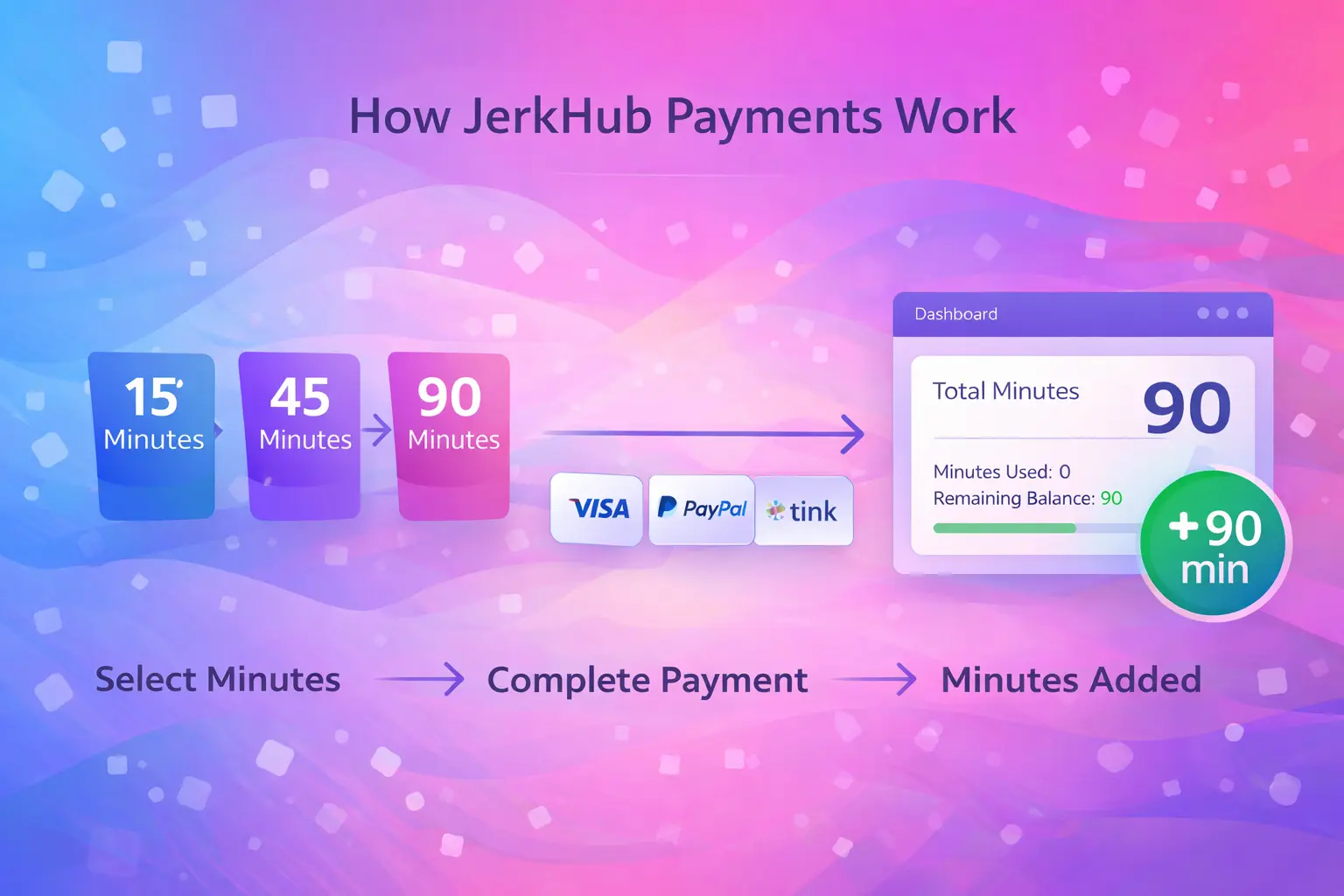
Understanding how JerkHub payment works is straightforward once you know the model. JerkHub pricing is based on a pay-per-minute system. Users purchase minutes in advance and those minutes are deducted during chats. There is no subscription, no recurring billing, and no automatic renewals. You pay only for the time you choose to use. This page explains how to buy minutes, which payment methods are accepted, and how billing is handled so you know exactly what to expect before completing a purchase.

How JerkHub Pricing Works

JerkHub pricing is built around flexibility. Instead of committing to a monthly plan, users purchase a package of minutes that can be used for live chats on the platform.

Here’s how it works:

  • You select a minute package.
  • You complete a one-time purchase.
  • Minutes are added to your account balance.
  • Minutes are deducted as you use the service.

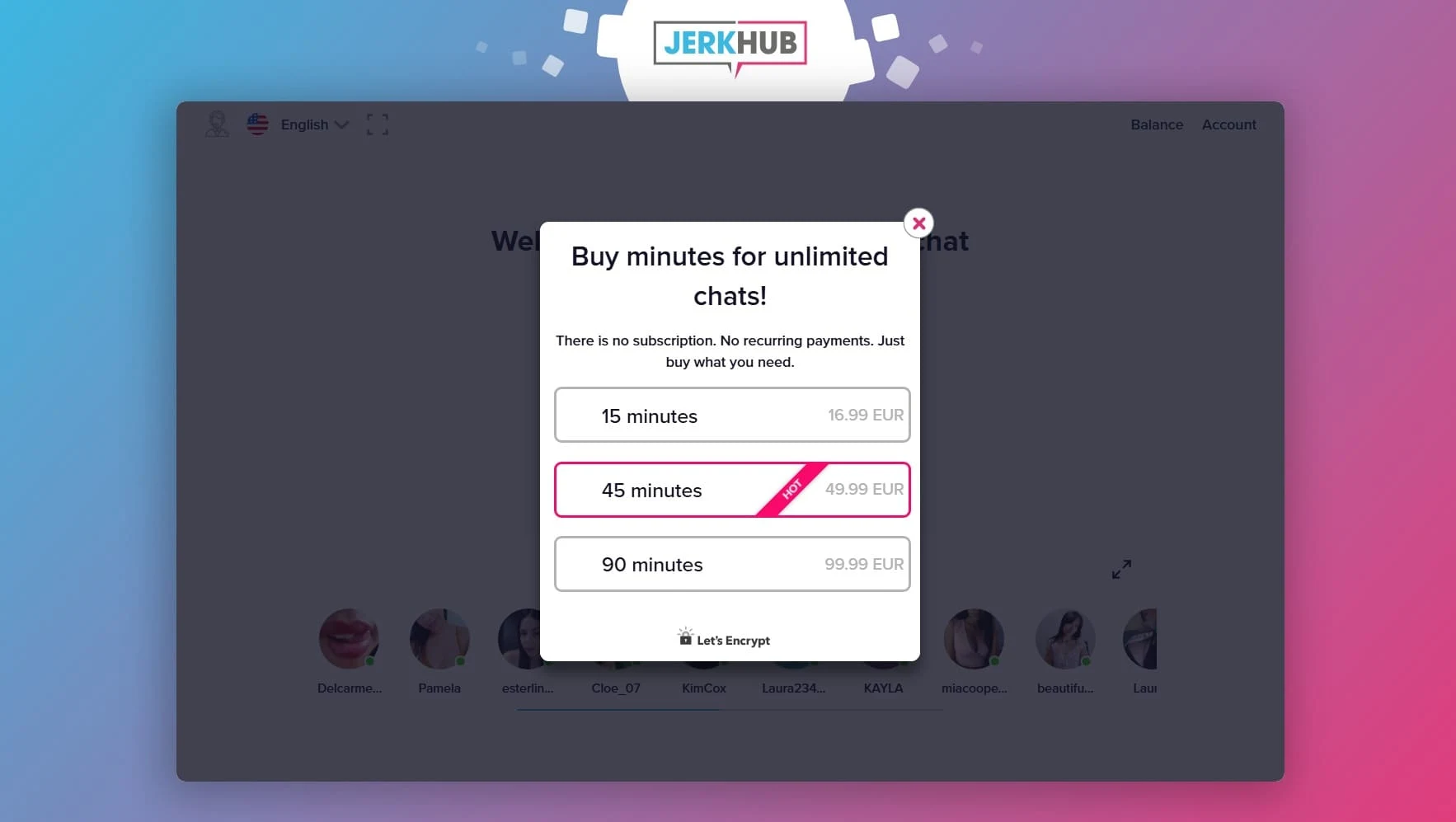
If you want to buy minutes on JerkHub, you simply choose the available package that suits your usage. There are no automatic renewals tied to that purchase. Once your minutes run out, you decide whether or not to buy more.

This structure is often referred to as “JerkHub pay per minute.” It means you are charged only for actual usage. There are no background fees, hidden renewals, or ongoing deductions after checkout.

For users who prefer control over their spending, this model keeps billing predictable. You see the price before confirming the transaction, and you choose when to make another purchase.

how payment works

Does JerkHub Have a Subscription?

No. There is no JerkHub subscription model.

JerkHub does not operate on monthly membership plans, and it does not enroll users in recurring payments. There is:

  • No automatic billing cycle
  • No recurring monthly charge
  • No subscription to cancel

When people search for JerkHub subscriptions, they are often trying to confirm whether they will be locked into a plan. The answer is clear: JerkHub runs on a pay-per-minute basis only.

payment for minutes

With a subscription platform, users typically pay a fixed amount every month whether they use the service or not. On JerkHub, you pay only when you actively choose to purchase minutes. If you do not buy minutes, there is no charge.

Because there is no subscription, there is also no JerkHub recurring payment to manage or cancel through account settings. Each transaction is a separate, one-time purchase.

Payment Methods Accepted on JerkHub

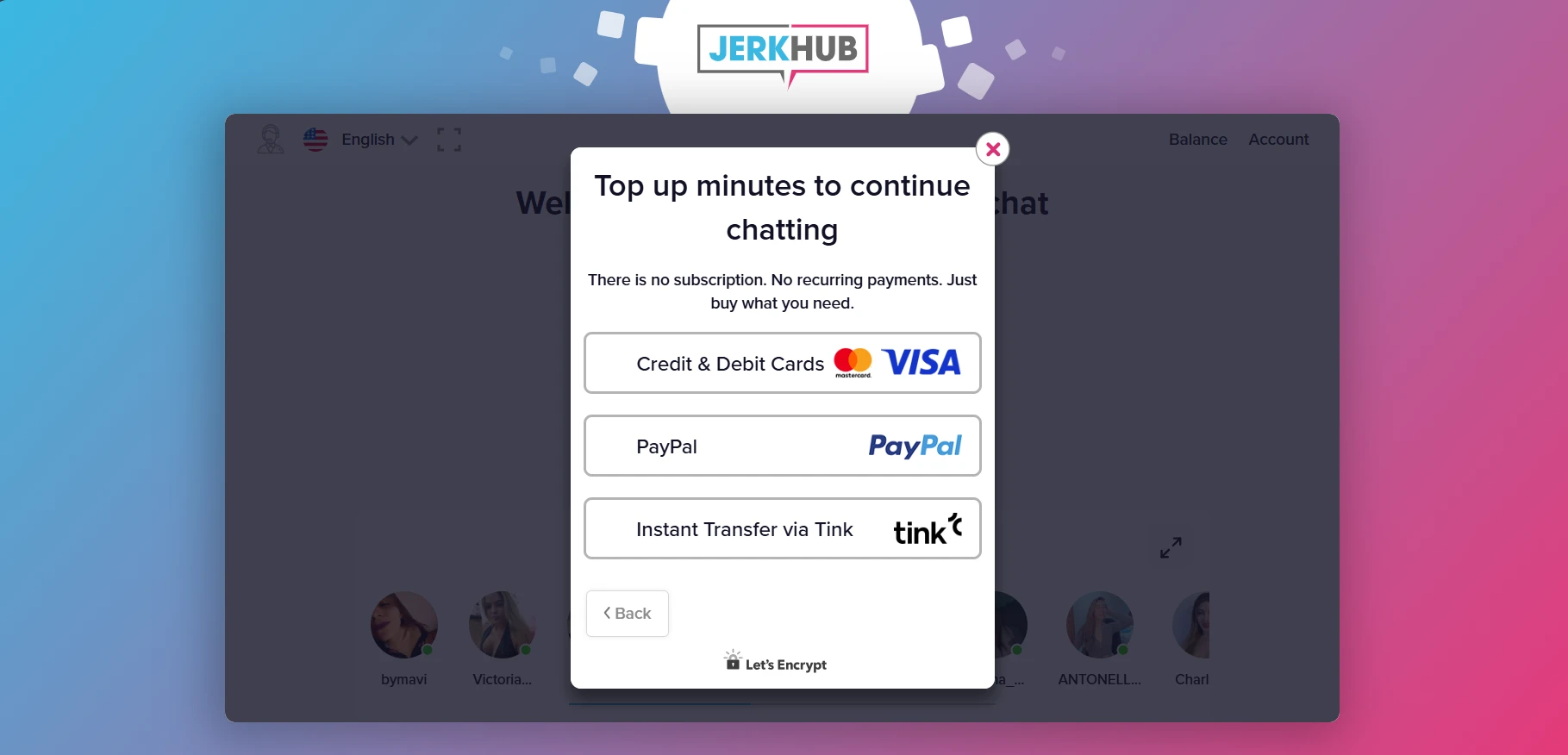
JerkHub supports several common and widely used payment options. These are designed to make the checkout process simple and accessible.

The available JerkHub payment methods include:

  • Credit and debit cards
  • PayPal
  • Instant Transfer via Tink
payment methods

Below is a closer look at each option.

Credit and Debit Card Payments

A JerkHub credit card payment can be made using standard major card providers. During checkout, you enter your card details through a secure payment form.

Key points:

  • One-time purchase
  • Standard billing process
  • Transaction confirmation shown before final approval

Card payments are processed through secure payment gateways that follow established payment security practices. There are no automatic renewals attached to the card after the transaction is completed.

Paying with PayPal

For users who prefer not to enter card details directly, JerkHub PayPal is available where supported.

When selecting PayPal at checkout:

  • You are redirected to the PayPal login page.
  • You confirm the payment within your PayPal account.
  • The transaction is processed as a one-time purchase.

Using PayPal does not create a recurring agreement. Each time you want to buy minutes on JerkHub, you initiate a new payment.

Instant Transfer via Tink

Instant Transfer via Tink allows direct bank transfers in supported regions.

With this method:

  • You authenticate through your banking environment.
  • The payment is processed instantly.
  • Minutes are credited once the transaction is confirmed.

Like all other JerkHub payment methods, this is a single transaction. There is no ongoing authorization for future charges.

Special Offers and Bonus Minutes

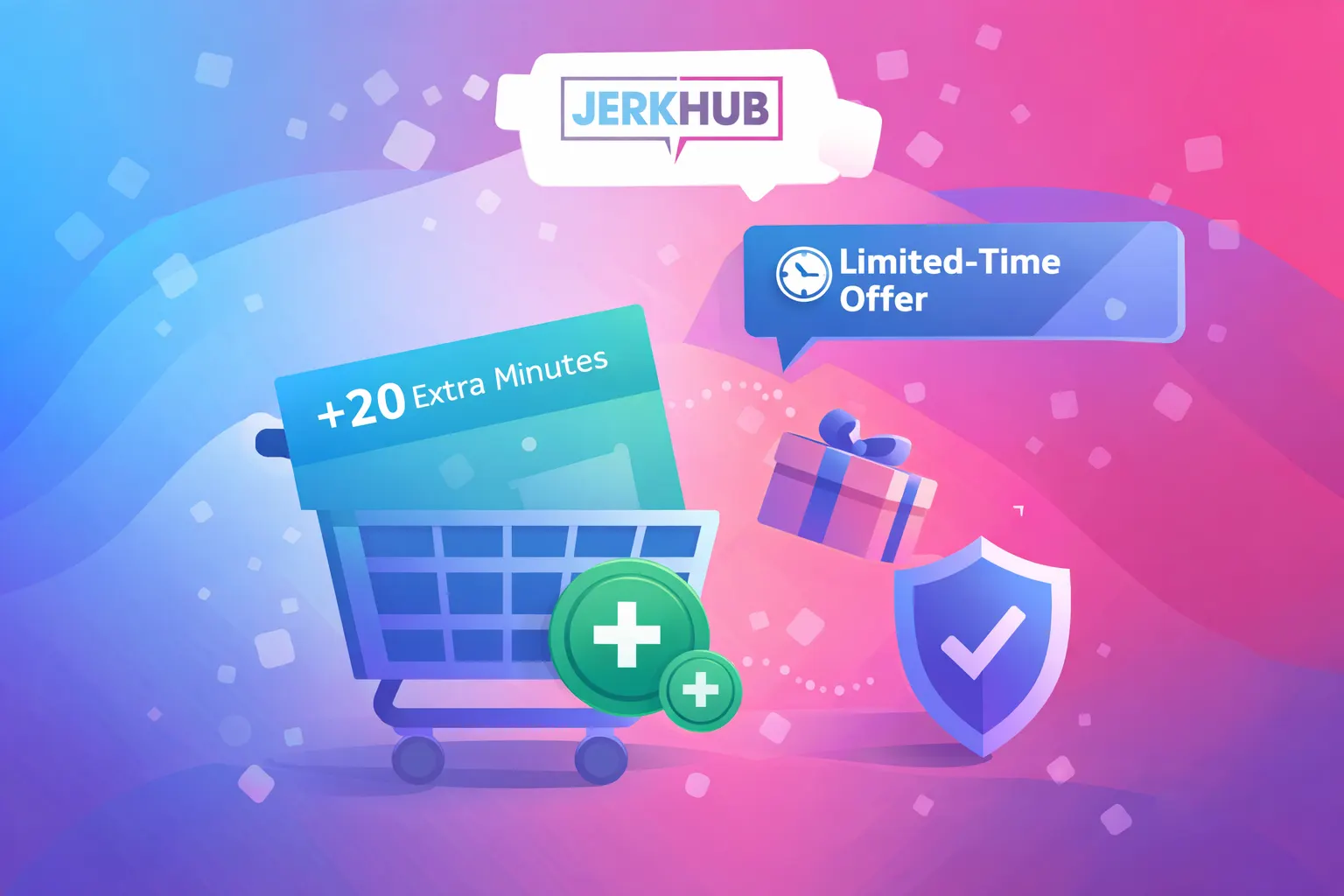
From time to time, JerkHub special offers may appear during checkout. These offers can include additional bonus minutes or adjusted pricing on specific packages.

Important details:

  • Offers are shown before you complete your purchase.
  • Availability may vary.
  • Not every user will see the same offer.

Any promotional pricing or bonus minutes are displayed clearly within the checkout process. You can review the total cost and included minutes before confirming the payment.

There is no obligation to accept a special offer. You choose the package that suits you at that moment. Once the transaction is completed, it remains a one-time purchase with no recurring billing attached.

jerkhub specials

Is JerkHub Payment Secure?

Security is an essential part of any online transaction. JerkHub payment processing uses standard secure payment technology to protect user data during checkout.

This includes:

  • Encrypted transaction processing
  • Secure payment gateways
  • Standard payment protection practices

Payment details are handled through established billing systems designed to protect sensitive information. The transaction process is completed within a secure environment before minutes are added to your account.

While no online system can promise absolute protection, JerkHub follows common payment security standards to safeguard billing information during each one-time purchase.

If a transaction fails or is declined, the system does not automatically retry without your action. You would need to manually initiate another payment attempt.

Frequently Asked Questions About JerkHub Payments

JerkHub cost depends on the minute package you choose. Pricing is displayed clearly before checkout. Since the platform operates on a pay-per-minute model, you pay only for the minutes you purchase. There are no fixed monthly fees.

There is no JerkHub subscription to cancel. The platform does not use recurring billing. Each purchase is a separate, one-time transaction for minutes.

No. JerkHub does not charge recurring payments. When you complete a JerkHub payment, it applies only to the selected minute package. Additional purchases must be made manually.

JerkHub payment methods include credit and debit cards, PayPal, and Instant Transfer via Tink (where available). All payments are processed through secure checkout systems.

Refund policies depend on the specific circumstances of the transaction. If you experience a billing issue, you should contact the platform’s support team directly for clarification. Details are typically outlined in the platform’s terms.

A payment may be declined for several reasons, including insufficient funds, bank restrictions, or authentication issues. In such cases, you can contact your payment provider or try an alternative method such as PayPal or Instant Transfer.


Discover related articles

How To Log In To JerkHub

sexy brunette cam performer

EXPERIENCE RAW, UNFILTERED LIVE ACTION NOW AT JERKHUB.COM – ANYTIME, ANYWHERE!

How to Log In to JerkHub

If you are searching for the JerkHub login page, this tutorial will show you exactly how to do it without any confusion. Below, you will find a step-by-step guide on how to sign up, and login to JerkHub, reset your password, and troubleshoot common JerkHub login issues. The aim is simple: assist you in safely logging in and getting back in if you encounter any issues.

How to Sign Up for JerkHub (If You Don’t Have an Account)

If you are unable to log in to JerkHub because you don’t have an account, you must first register for one.

Creating a New JerkHub Account

jerkhub signup

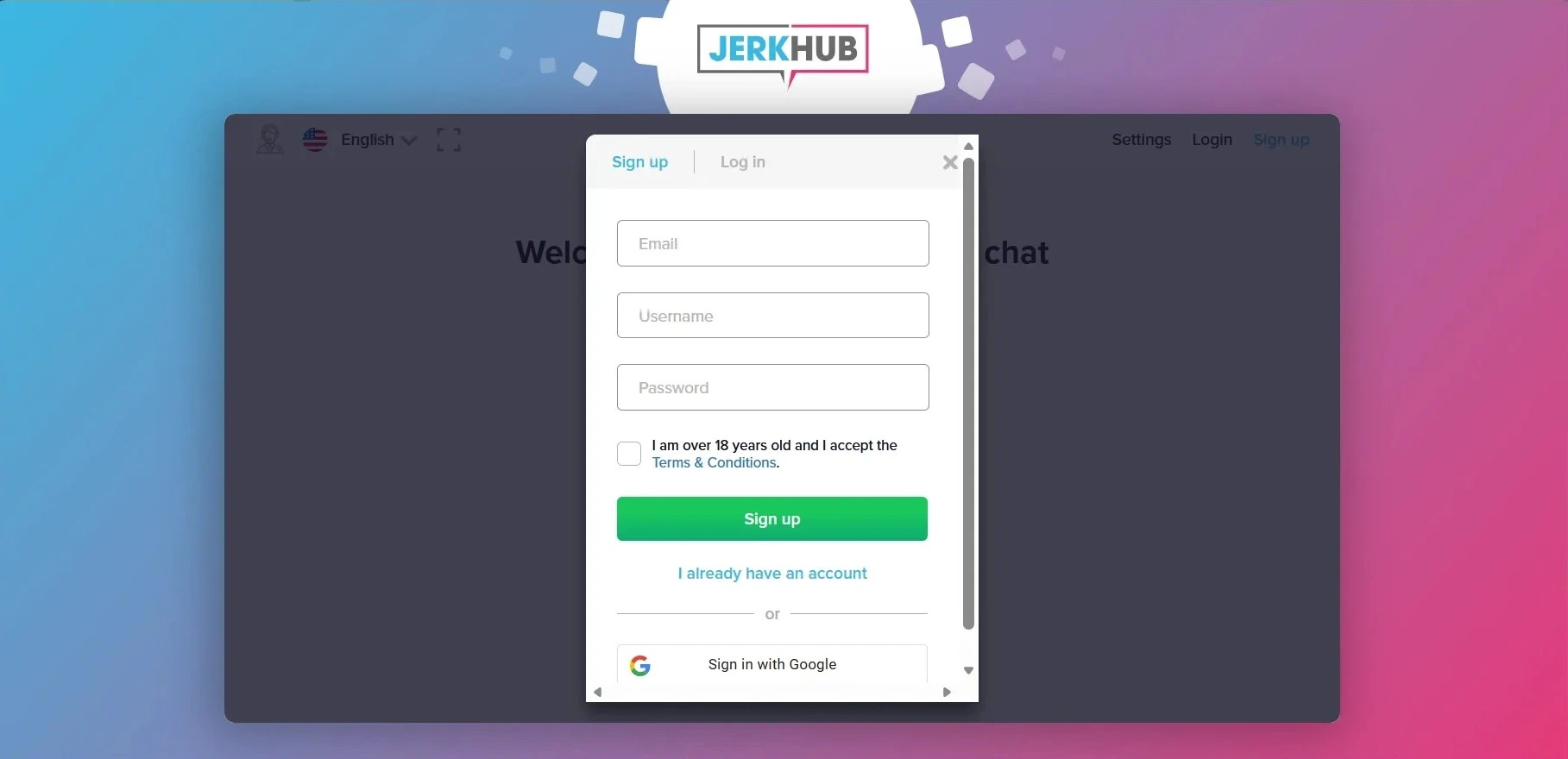
To finish the JerkHub sign up process:

  1. Visit the official website.
  2. Click the “Sign up” button.
  3. Enter your email address.
  4. Choose a username.
  5. Select a strong password.
  6. Check the box to confirm that your age is above 18.
  7. Click the submit button for the registration form.

Remember to use a valid email address. You will need it for account recovery and verification.

You can also create an account using Google by selecting “Sign in with Google” on the registration page. After completing the process, you will receive a confirmation email along with an automatically generated password. Follow the link to verify your email and access it.

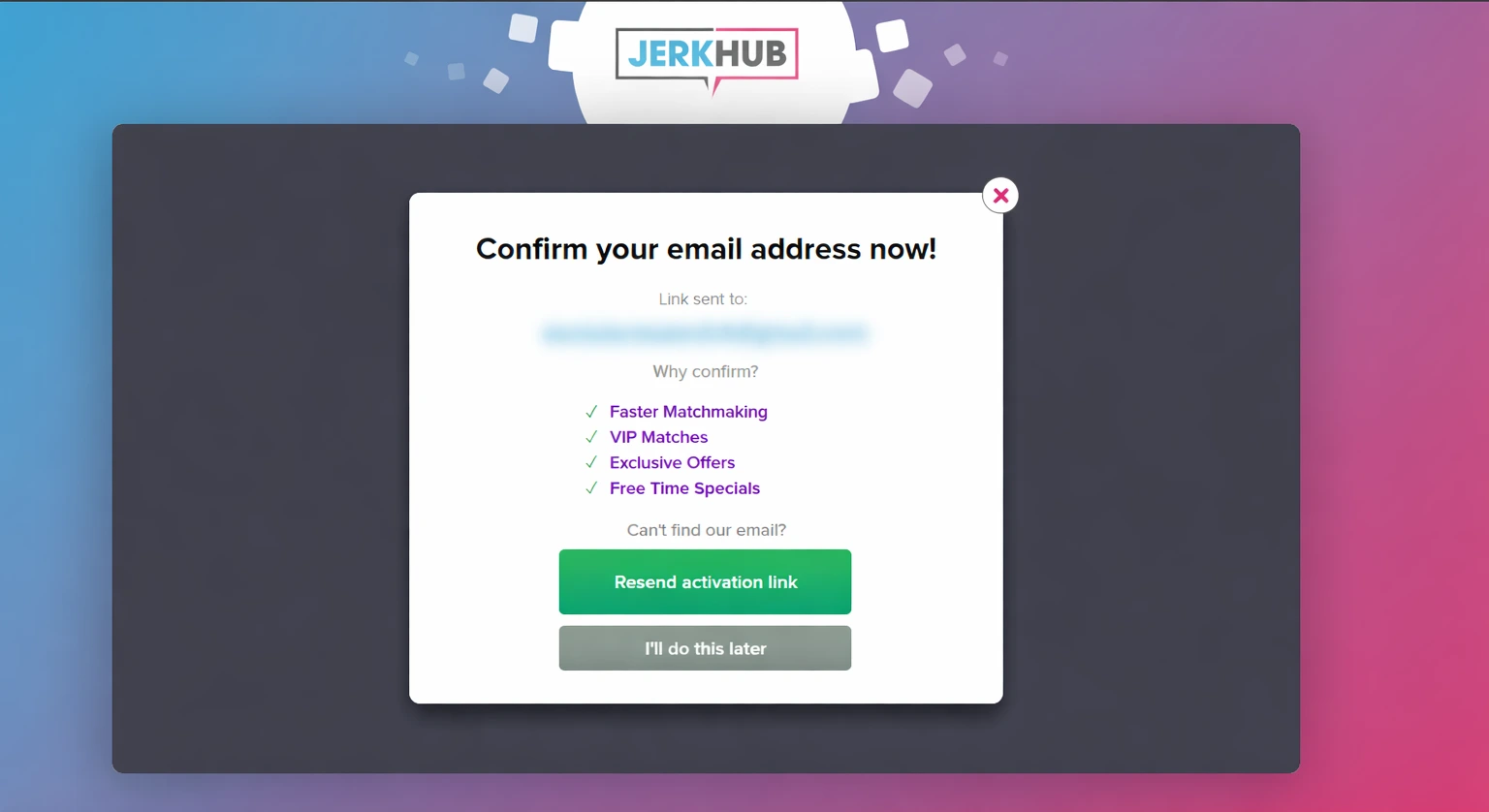
Email Verification Process

After registration:

  • Check your email inbox.
  • Open the email sent by JerkHub.
  • Click the verification link inside the email.

If you don’t find the email:

  • Check your spam or junk folder.
  • Request a new verification email from the login page.

Email verification is required before you can access your account fully.

password verification

JerkHub Login

How to Access the JerkHub Login Page

To start the JerkHub login process, follow these steps:

  • Launch your favorite web browser.
  • Type in the official JerkHub website URL.
  • Hit Enter to access the home page.
  • Find the “Login” button at the top right corner.
  • Click on it to access the JerkHub login page.

Remember to always verify that you are on the right webpage before submitting your login information. Check the URL and ensure that the connection is secure (https).

Entering Your Username and Password

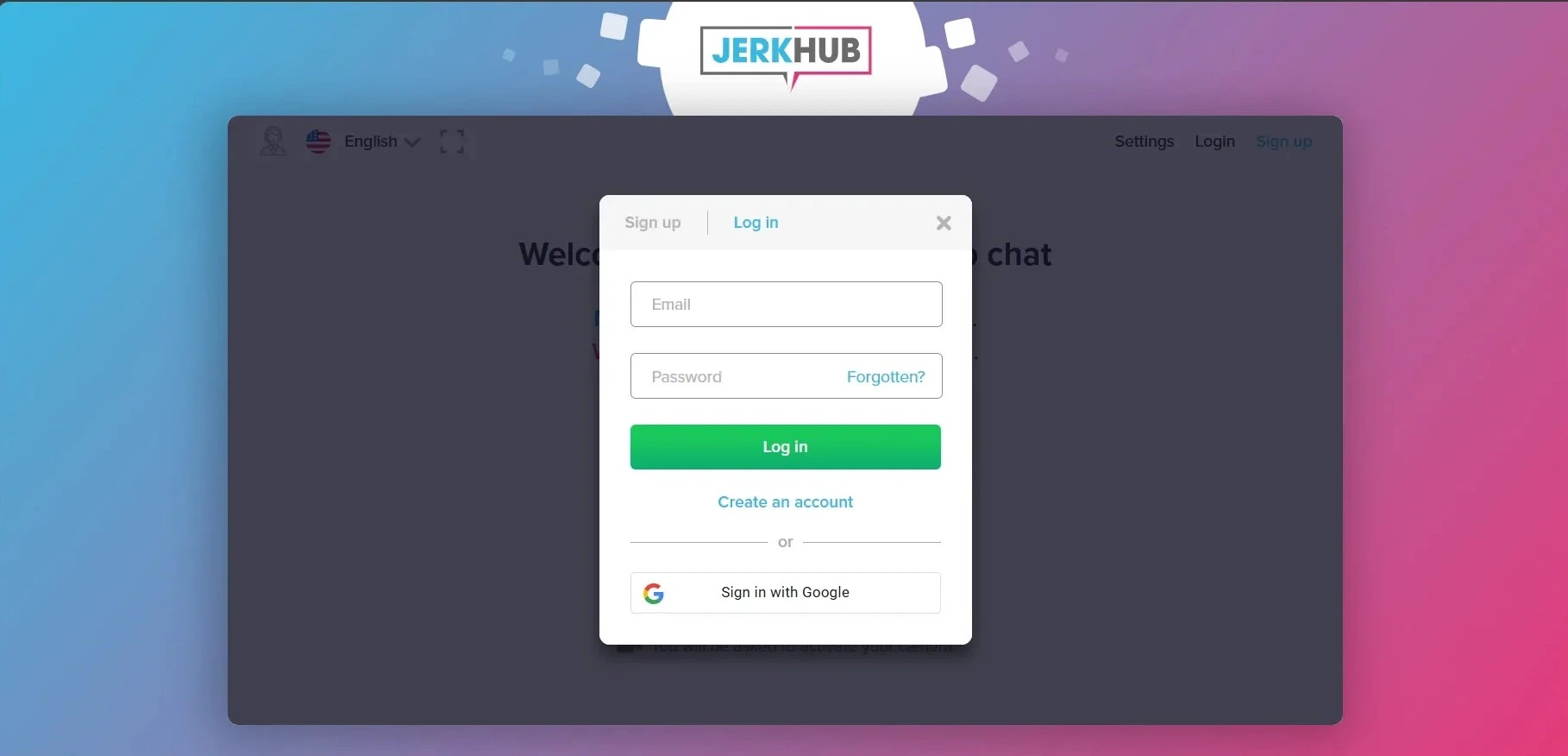
jerkhub login

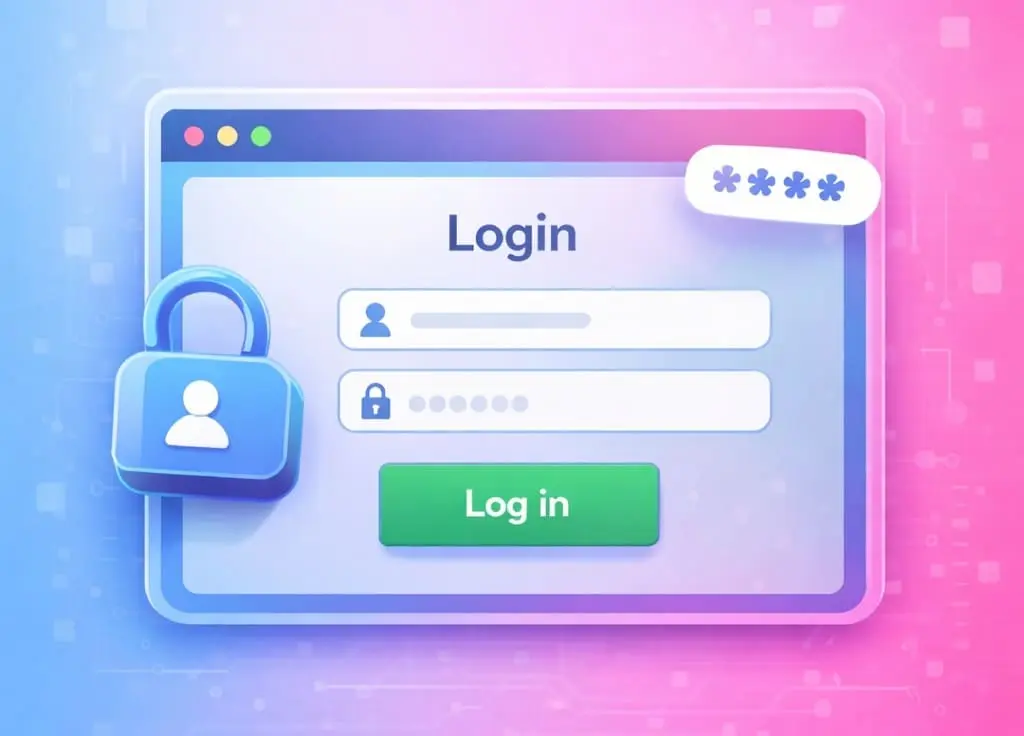
After accessing the JerkHub login page:

  1. Type in your registered email address in the first box.
  2. Type in your password in the second box.
  3. Check your entries for any typos.
  4. Click on the “Log in” button to log in to your account.

If everything is correct, you will be taken to your dashboard right away. If there is an error message from the system, check your entries and try again.

Your JerkHub account login details will only work if:

  • Your email address is confirmed.
  • Your password is correct.
  • Your account is not suspended.

If you want, you can also use the “Sign in with Google” feature.

Age Verification

All users are required to complete an age verification process before accessing the platform. This step is quick and straightforward and can be completed using Face ID technology or by submitting a valid government-issued ID. The verification is used strictly to confirm that the user is 18 years of age or older. Once the age check is completed, the submitted information is securely processed and then deleted, it is not stored or reused. This process helps prevent scam accounts and ensures that no individuals under the age of 18 are able to access the platform.

JerkHub Login Issues and How to Fix Them

Users occasionally report that they can’t log in to JerkHub. Most problems are related to passwords, browser settings, or account restrictions. This section covers login problems and troubleshooting steps.

Forgot Password – How to Reset It

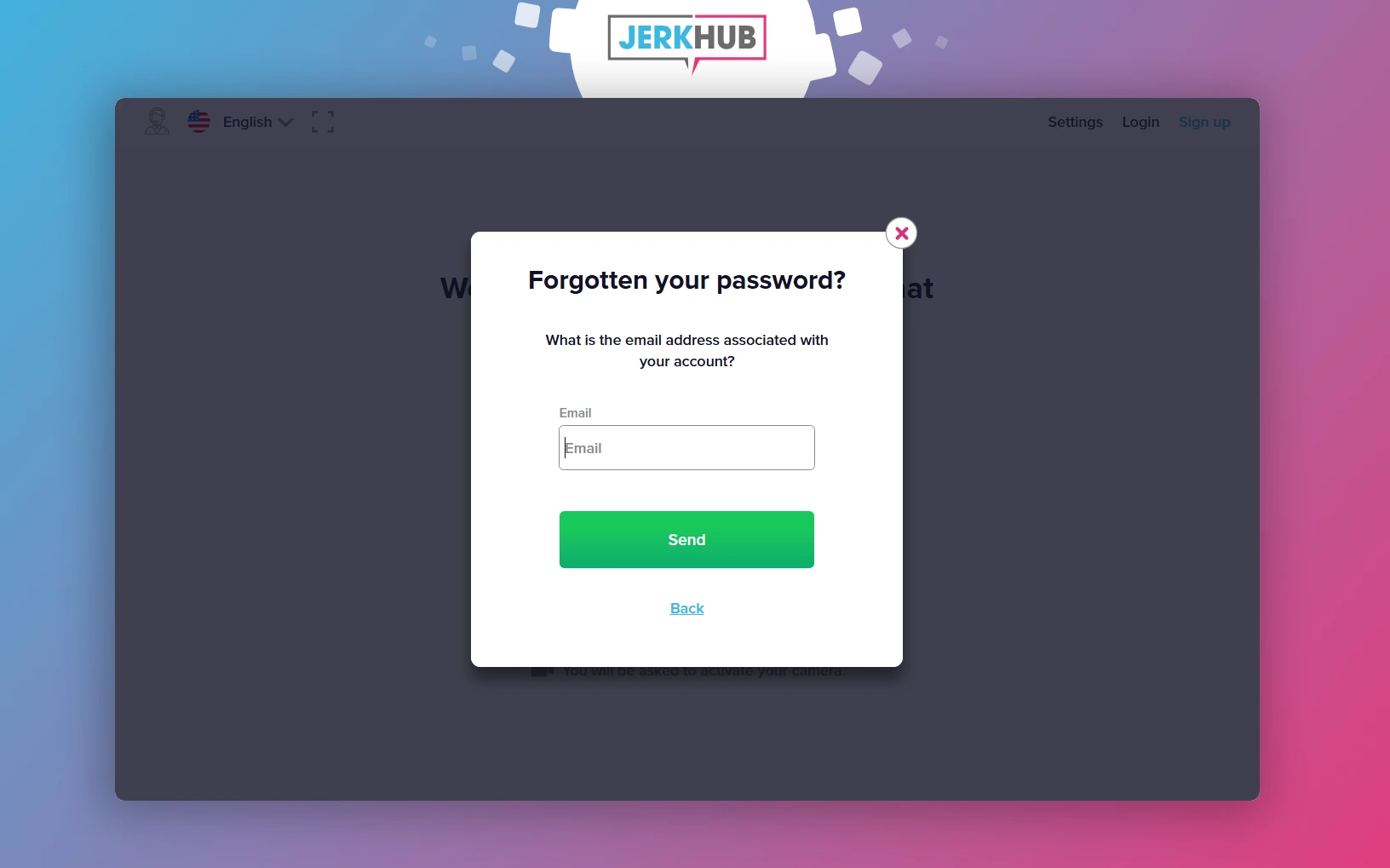
If you forgot your JerkHub password, use this reset option:

  1. Go to the JerkHub login page.
  2. Click “Forgotten?”
  3. Enter your registered email address.
  4. Submit the request.
  5. Check your email for a reset link.
  6. Create a new password.

forgotten password

When choosing a new password:

  • Use at least 8 characters.
  • Combine letters, numbers, and symbols.
  • Avoid using easily guessed words.

If you do not receive the reset email, verify that you entered the correct address.

Account Locked or Suspended

If your JerkHub account login attempt fails due to a locked or suspended account, possible reasons include:

  • Multiple incorrect login attempts.
  • Violation of platform policies.
  • Security-related concerns.

In this situation:

  • Wait 15–30 minutes before trying again.
  • Clear your browser cache.
  • If you need further assistance, reach support directly by email at [email protected].

Account recovery may require identity or email verification.

Login Page Not Loading

If the JerkHub login page does not load properly:

  • Refresh the page.
  • Clear your browser cache and cookies.
  • Disable browser extensions temporarily.
  • Try another browser.
  • Restart your device.
  • Check your internet connection.

If the issue continues, the website may be undergoing temporary maintenance. Wait and try again later.

Is JerkHub Safe to Use?

Security during the JerkHub login process depends largely on user behavior and secure browsing practices.

Account Security and Privacy Tips

To protect your JerkHub account access:

  • Use a strong, unique password.
  • Do not share your login credentials.
  • Log out when using shared devices.
  • Avoid logging in on public Wi-Fi networks.
  • Enable any available security features.

Always verify that you are entering your information on the official site. This reduces the risk of phishing attempts.

Frequently Asked Questions About JerkHub Login

No. You have to create an account before accessing the platform’s features. Completing the sign up process allows secure login and enables account recovery if needed. Without registration, account access is not available.

If you can’t log in to JerkHub, the most common reasons are incorrect login credentials, an unverified email address, or a temporarily locked account. Double-check your email and password. If necessary, use the password reset option.

Registration on JerkHub is free. However, video chatting requires purchasing minutes or credits. There is no subscription and no recurring billing.

Go to the login page and select “Forgotten?” in the password field. Enter your registered email and follow the reset instructions.

Clear your browser cache, check your internet connection, and verify your login credentials. If the issue continues, try another browser or contact support.


Discover related articles